Connecting the systems you already have
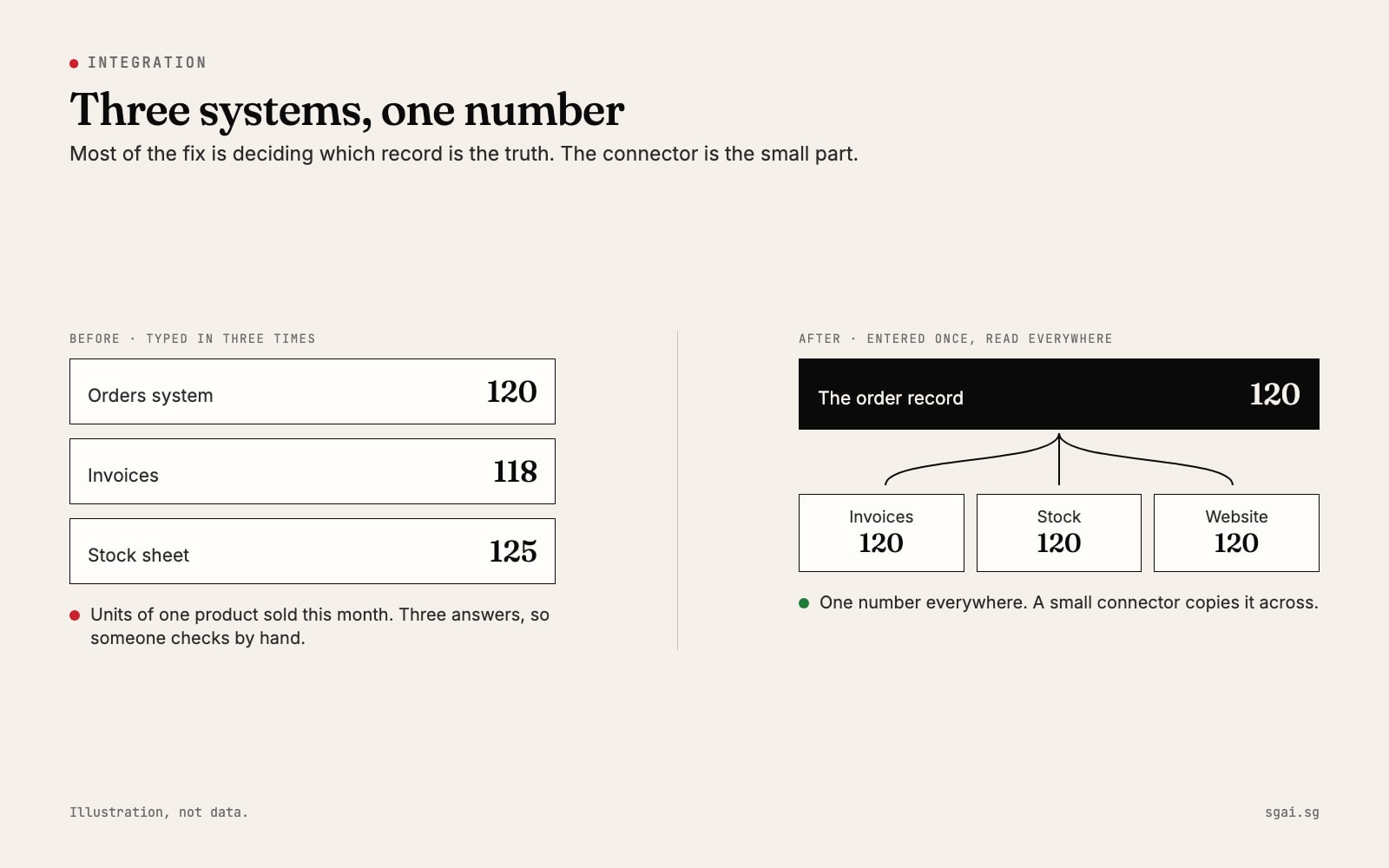
You type the same order into three systems. The order system says one number, the invoices say another, the stock sheet says a third, and someone spends Friday afternoon checking by hand. The usual answer offered is a big new system that replaces everything. Often the better answer is smaller: decide which record is the truth, and connect the systems you already have to it.

Why the numbers never agree
Every time a person copies a number from one system into another, three things can go wrong. They type it wrong. They type it late. Or they type it into one system and forget the other. None of this is carelessness. It is what happens when a process depends on someone remembering three steps every time.
The cost is not just the checking. It is the decisions made on the wrong number: reordering stock you already have, promising a delivery date the warehouse cannot meet, chasing an invoice that was already paid. And because nobody fully trusts any of the three numbers, people start keeping their own side spreadsheets, which adds a fourth.
Step 1: decide the source of truth
For each important fact, one system should be the owner. Every other system reads from it and never changes it directly.
| Fact | A sensible owner | Who reads it |
|---|---|---|
| What was ordered | The order system | Invoicing, stock, delivery |
| What was billed and paid | The accounting software | Sales, management reports |
| What is on the shelf | The stock system | Website, sales, purchasing |
| Product names and prices | The product catalogue | Website, quotes, invoices |
This is a business decision, not a technical one. You can make it in a meeting with the people who use each system. Write the table down. Most of the integration work follows from it.
Step 2: find out how each system can share
Every system shares data in one of three ways. You can find out which yourself, from the vendor's help pages or by asking their support.
- Export and import. The system can download a spreadsheet (often called CSV) and accept one back. Slow, but almost every system can do it.
- An API. A documented way for one piece of software to ask another for data, or send it data, automatically. For example, Shopify's developer documentation describes its InventoryLevel object (checked 8 Nov 2026) as "the quantities of an inventory item at a specific location", tracking states like available, on-hand, incoming and committed. That is the kind of thing a connector reads and writes.
- Nothing. Some old or very small systems have no export and no API. These are the real candidates for replacement.
Search the vendor's help site for "API" and "export". It takes ten minutes per system and tells you most of what a developer would need to know.
Step 3: when a small connector beats a new system
A connector is a small piece of software that sits between two systems. When an order is saved, it creates the invoice draft and reduces the stock count. Nobody types anything twice.
A connector is usually the better choice when:
- Each system works well for the people who use it.
- The systems have APIs, or at least reliable exports.
- The problem is the copying between them, not the systems themselves.
A new system is worth considering when one of your systems has no way to share data, is no longer supported by its vendor, or is the reason people keep side spreadsheets.
Replacing everything at once is the riskiest option. Staff lose tools they know, and the old problems often move into the new system.
What "one number everywhere" prevents
When every system reads from one record, the same order shows the same quantity in the order, the invoice, the stock count and the website. That prevents:
- Selling stock you do not have, because the website reads the real count.
- Invoices that do not match orders.
- Friday afternoons spent reconciling.
- Customers and AI assistants seeing a different price or availability on different pages. Our guide to how AI assistants decide who to recommend explains why contradictions cost you there too.
A fictional example
Chua Precision is a fictional example: a parts supplier with an order system, accounting software and a stock spreadsheet. Orders come in by email and are typed into all three.
They decide the order system owns orders, the accounting software owns invoices and payments, and the stock spreadsheet is retired in favour of the stock module the order system already had but nobody used. Both remaining systems have APIs.
A small connector now does two jobs. When an order is confirmed, it creates a draft invoice in the accounting software. When the invoice is paid, it marks the order as paid. Stock is counted in one place. The Friday check becomes a quick look at a short exceptions list: anything the connector could not match.
Nothing was replaced except a spreadsheet. The staff kept the tools they knew. What changed is that each number is now entered once, by the person closest to it, and every other system reads it from there.
How to brief a developer
A clear brief saves weeks. Include:
- The source-of-truth table from step 1.
- The systems, with the name, version and who the vendor is, plus links to their API or export documentation.
- The events. "When an order is confirmed, do X. When an invoice is paid, do Y."
- What happens when it fails. Who is told, and how. A connector that fails silently is worse than none.
- Who owns the accounts. API keys and the connector's hosting should sit in the company's name, as with everything in who actually owns your website.
- A test. "Ten real orders from last month go through and every number matches."
Where we come in
Steps 1 and 2 are yours, and you can finish them this week. When owners bring us in, it is usually for step 3: building the connector, handling the edge cases, and making sure someone is told when something does not match. We keep it small, we document it, and the accounts stay yours.